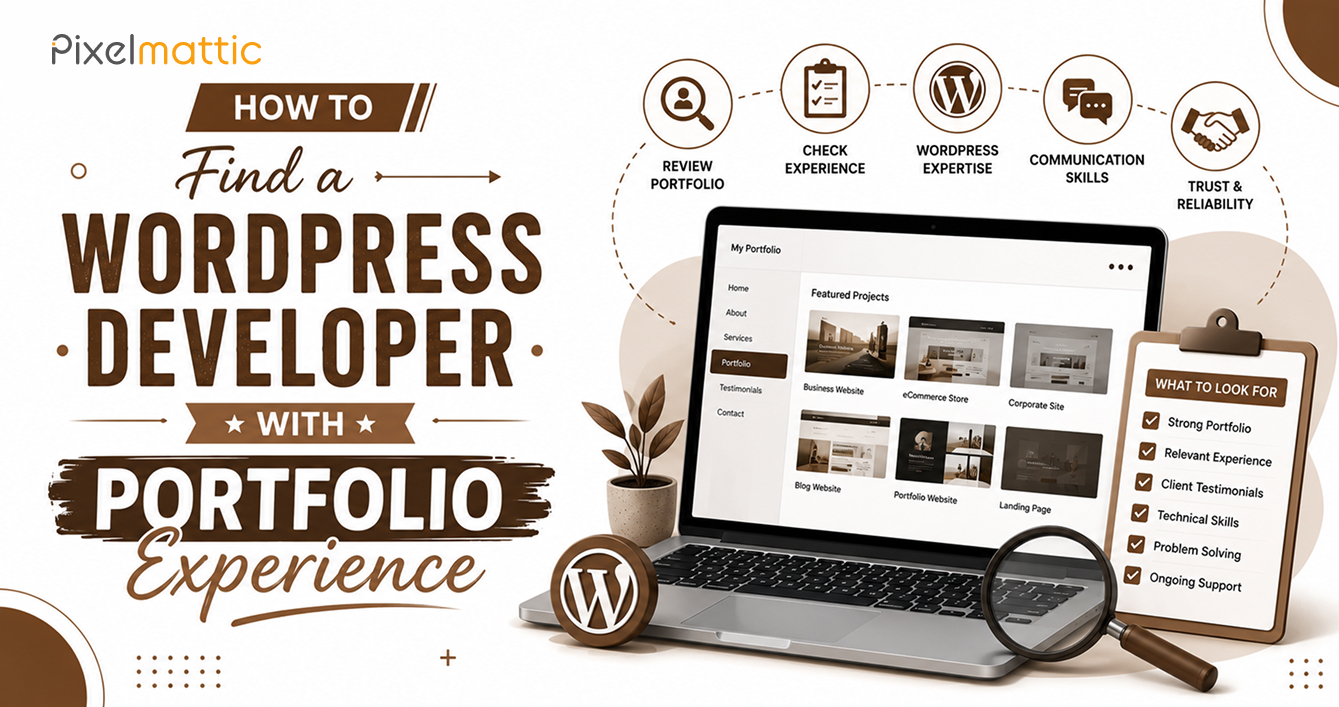
How to Find a WordPress Developer With Portfolio Experience
 WordPress Development
|
WordPress Development
|  4 minutes
Table of Contents
- Why Relevant Experience Matters More Than Volume
- What to Look for Beyond Visual Design
- Questions to Ask About Specific Portfolio Pieces
- Red Flags to Watch for in a Portfolio
- Matching the Portfolio to Your Actual Project
- Frequently Asked Questions
A developer’s portfolio is one of the most reliable signals available before you’ve worked with them directly. But most business owners review portfolios superficially — glancing at whether the sites ‘look nice’ — rather than evaluating whether the experience actually matches what their own project needs.
This guide shows you how to review a WordPress developer’s portfolio properly, so you can make a more informed hiring decision.
Why Relevant Experience Matters More Than Volume
A developer with fifty portfolio pieces isn’t necessarily a better fit than one with eight, if those eight closely match your project type and industry. Relevant experience reduces risk in several concrete ways: the developer has already solved problems similar to yours, they understand the functional patterns your industry typically needs, and they can anticipate challenges before they arise rather than learning on your project’s budget and timeline.
When reviewing a portfolio, prioritise relevance over sheer quantity.
What to Look for Beyond Visual Design
Industry relevance: Has this developer built sites for businesses similar to yours — same industry, similar scale, and comparable functionality needs? A developer experienced in eCommerce may not be the best fit for a membership-based education platform, even if both are ‘WordPress sites’.
Functional complexity match: If your project needs custom booking functionality, has the developer built anything with comparable complexity before? Portfolio pieces that only demonstrate basic brochure sites don’t validate capability for more complex requirements.
Performance of past work: Visit live portfolio URLs and check loading speed via Google PageSpeed Insights. A beautifully designed site that loads slowly reveals a gap between design capability and technical execution.
SEO fundamentals: Check whether past projects have basic SEO hygiene in place — clean URL structures, proper heading hierarchy, and reasonable meta tags. This indicates whether the developer builds with search visibility in mind by default.
Mobile responsiveness: Test portfolio sites on an actual mobile device, not just by resizing a desktop browser window. Genuine mobile-first design feels different from a desktop site that’s simply been made to fit a smaller screen.
Questions to Ask About Specific Portfolio Pieces
‘What was the biggest challenge on this project, and how did you solve it?’ This reveals problem-solving ability and honesty — developers who claim every project was seamless are less credible than those who can discuss real challenges.
‘What results did this website deliver for the client?’ Beyond aesthetics, did the site improve conversion rates, search rankings, or user engagement? Developers who track and discuss outcomes demonstrate a business-oriented mindset, not just a technical one.
‘Is this still actively maintained by you, or was it a one-time build?’ This reveals the nature of their client relationships and whether they tend to build lasting partnerships or one-off transactions.
Red Flags to Watch for in a Portfolio
Every project looks identical: This may indicate the developer applies the same template repeatedly rather than adapting to each client’s actual brand and needs.
No live links, only screenshots: This makes verification impossible and should prompt direct questions about why live examples aren’t available.
Portfolio pieces significantly older than three to four years with nothing recent: This may indicate declining activity, changing focus, or an outdated skill set relative to current WordPress and web standards.
Matching the Portfolio to Your Actual Project
Before reviewing any portfolio, write down your own project’s core requirements — industry, functionality, design complexity, and scale. Use this as your evaluation checklist rather than being swayed purely by visual appeal.
The most relevant portfolio match, backed by genuine outcomes and technical execution, is a far stronger predictor of success than the most visually impressive one.
WordPress Portfolio
Want to See WordPress Work Relevant to Your Specific Industry and Goals?
Review Pixelmattic’s portfolio and case studies.
Frequently Asked Questions
How many portfolio pieces should a WordPress developer have?
There’s no fixed number — quality and relevance matter far more than quantity. Five to ten strong, relevant, verifiable examples are more valuable than fifty generic ones.
What’s the best way to verify a WordPress developer’s portfolio is genuine?
Visit live URLs directly, check site registration or ‘About’ pages for consistency with the developer’s claims, and ask for client references you can contact independently.
Should I only consider developers with experience in my exact industry?
Not necessarily, but relevant industry or functional experience meaningfully reduces project risk. A developer with strong general capability and demonstrated adaptability can still be an excellent choice even without exact industry experience.
 October 1, 2026
 WordPress Development
 WordPress Development
 WordPress Development
 WordPress Development