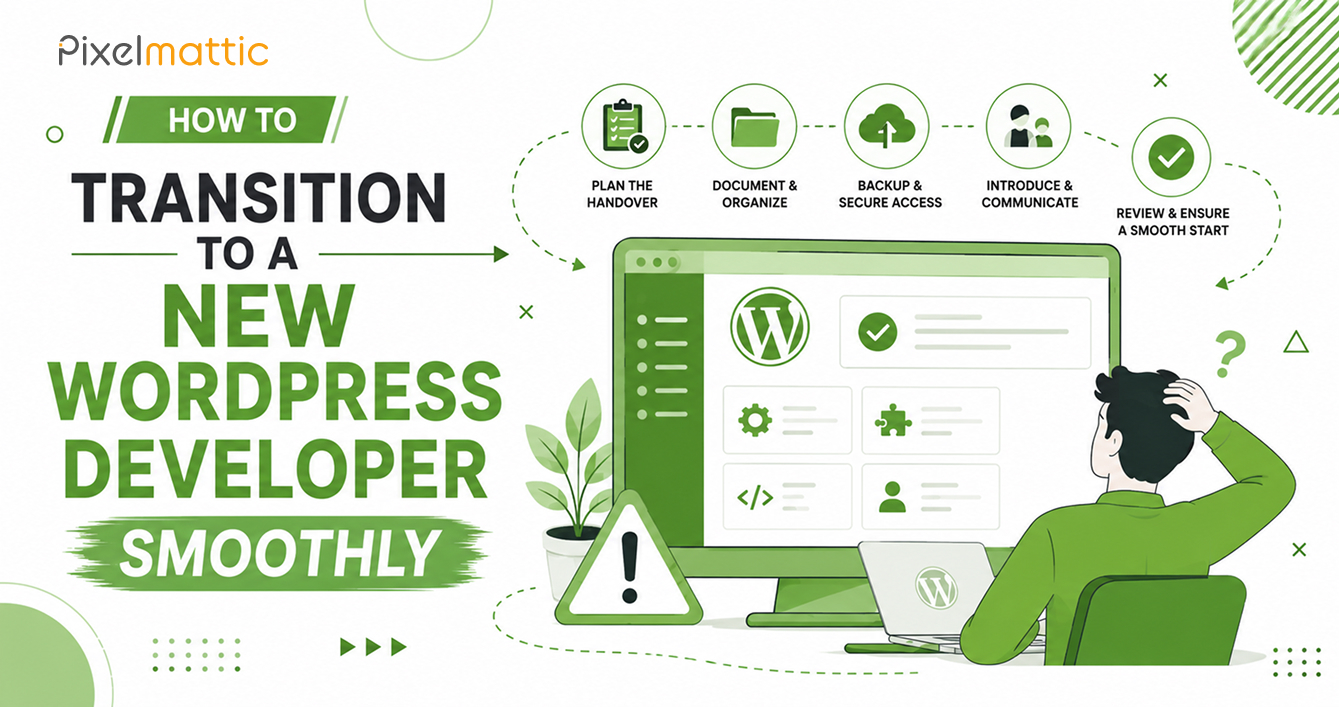
How to Transition to a New WordPress Developer Smoothly
 WordPress Development
|
WordPress Development
|  4 minutes
Table of Contents
- Before You Start the Transition
- Conducting a Proper Handover
- Onboarding Your New Developer
- Minimising Business Disruption
- Red Flags That Suggest You Need a New Developer
- Frequently Asked Questions
Whether you’re switching developers due to poor performance, growth beyond your current provider’s capability, or simply wanting a fresh perspective, a website developer transition is a common and manageable business event — provided it’s approached systematically.
This guide walks through how to switch WordPress developers smoothly, minimising both business disruption and unnecessary cost.
Before You Start the Transition
Clarify your reason for switching: Understanding whether the issue is quality, communication, capacity, or specialisation helps you brief the new developer accurately and avoid repeating the same problems.
Gather all existing documentation: Collect any technical documentation, brand guidelines, previous contracts, and access credentials that exist from the current relationship.
Verify your account ownership: Confirm you have direct, independent access to your domain registrar, hosting account, and any third-party integrations before initiating the switch. If you don’t, prioritise recovering this access first.
Conducting a Proper Handover
Request a full technical handover from the outgoing developer: This should include admin credentials, hosting and FTP access, a list of installed plugins and their purpose, any custom code documentation, and licence information for premium themes or plugins.
Take a full site backup independently: Even if the outgoing developer provides materials, take (or have your new developer take) an independent full backup of the site as it currently exists — files and database — as a safety net.
Document current site performance as a baseline: Record current page speed scores, current search rankings for key terms, and current analytics data. This gives you and your new developer a clear baseline to measure improvement against.
Onboarding Your New Developer
Share full context, not just access: Provide your new developer with your business goals, target audience, past performance data, and specific pain points with the previous build — not just login credentials.
Request an initial audit before any changes: A competent new developer should review the existing site thoroughly before making changes, to understand what’s working, what’s not, and what the underlying codebase looks like.
Agree on a phased approach if the site needs significant work: Rather than an immediate, wholesale rebuild, consider whether critical fixes can be addressed first, with larger improvements phased in over subsequent weeks or months — reducing risk and spreading cost.
Set clear expectations about the learning curve: Even skilled developers need time to fully understand a codebase they didn’t build. Allow for a reasonable ramp-up period before expecting the same velocity as an established, ongoing relationship.
Minimising Business Disruption
Avoid switching during business-critical periods: If possible, time the transition to avoid your busiest sales periods, major campaigns, or events where site issues would be most costly.
Maintain the old developer relationship until the new one is fully operational: Where possible, avoid a hard cutoff — overlap the transition slightly so the previous developer remains available for urgent questions during the handover period.
Communicate internally: Ensure relevant team members (marketing, customer support) know a transition is happening and who to contact for website-related issues during the changeover.
Red Flags That Suggest You Need a New Developer
Consider a transition if you’re experiencing: consistently slow response times, repeated missed deadlines without adequate explanation, a codebase that’s become difficult for anyone (including the original developer) to maintain, or a mismatch between your growing business needs and the developer’s technical capability or capacity.
WordPress Developer Handover
Ready to Transition to a WordPress Partner That Can Grow With Your Business?
Talk to Pixelmattic about a smooth, well-managed handover.
Frequently Asked Questions
How long does it take to switch WordPress developers?
A well-managed handover typically takes one to two weeks for the technical transition itself, though the new developer’s ramp-up to full familiarity with your codebase may take several additional weeks depending on complexity.
What if my current developer won’t cooperate with the handover?
If you have independent access to your hosting and domain accounts, a new developer can proceed without the outgoing developer’s cooperation, though it may take longer without their documentation and institutional knowledge.
Should I tell my current developer I’m switching before or after securing a new one?
It’s generally advisable to have a new developer identified (though not necessarily fully onboarded) before ending the relationship with your current one, to minimise any gap in support availability.
 October 1, 2026
 WordPress Development
 WordPress Development
 WordPress Development
 WordPress Development