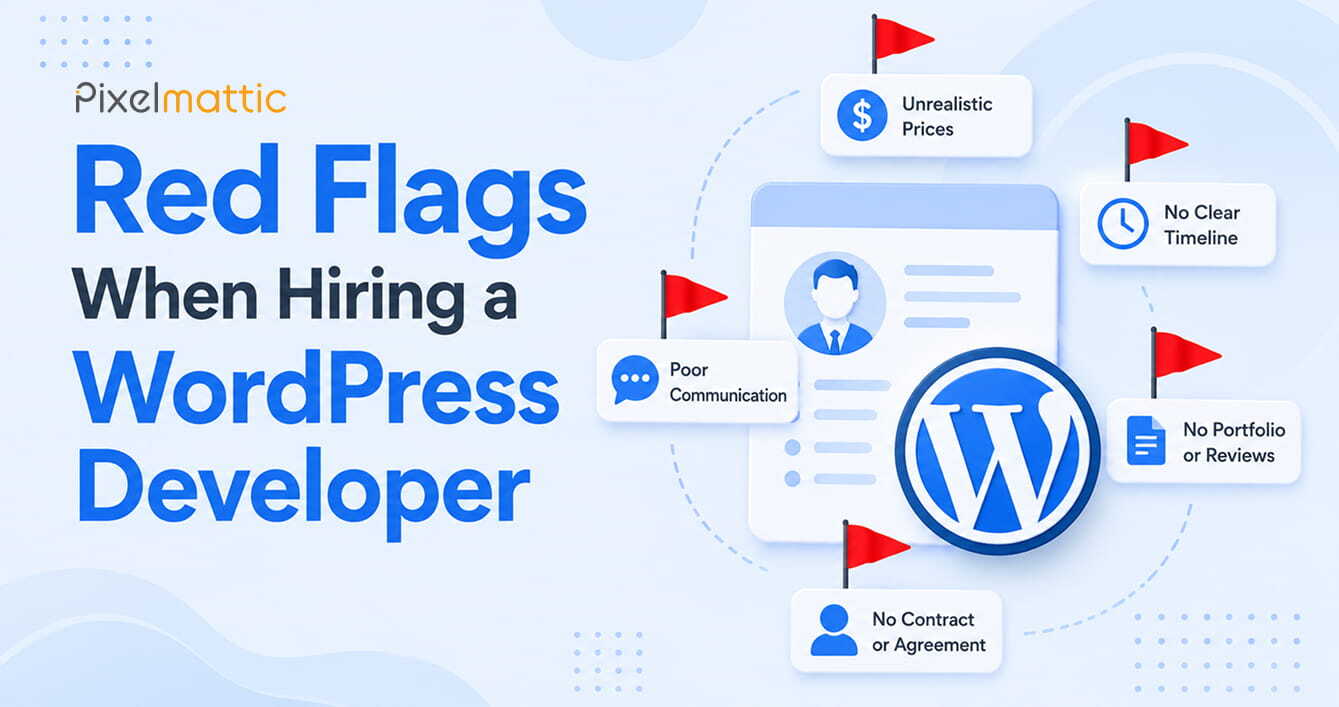
Red Flags When Hiring a WordPress Developer
 WordPress Development
|
WordPress Development
|  4 minutes
Table of Contents
- Red Flags in the Portfolio
- Red Flags in Communication
- Red Flags in the Technical Conversation
- Red Flags in the Financial Discussion
- Frequently Asked Questions
The damage from a bad WordPress hire often isn’t apparent until weeks or months into a project — or worse, after launch. By then, you’re dealing with a site that underperforms, code that can’t be maintained, or a developer who’s become unresponsive.
The good news is that most underqualified or unreliable WordPress developers reveal themselves early, if you know what to look for. This guide gives business owners and marketing professionals a systematic checklist of red flags to evaluate before any hire.
Red Flags in the Portfolio
- No live URLs — only screenshots: Screenshots can be fabricated or taken from theme demos. Always request live URLs and visit them.
- Slow-loading portfolio sites: If the developer’s own past work scores poorly on Google PageSpeed Insights, that’s a direct signal of their quality standard.
- All sites look identical: A healthy portfolio shows variety across industries, layout styles, and functionality. If every site looks like the same theme with different colours, the developer may have limited range.
- No case studies or context: Strong portfolios explain not just what was built but why — what the business challenge was and how the site addressed it. Absence of context often signals absence of strategic thinking.
Red Flags in Communication
- Slow or inconsistent responses during the sales stage: If it takes days to get a reply when they’re trying to win your business, response times will only get worse once the contract is signed.
- Inability to explain technical decisions in plain English: Developers who speak exclusively in jargon or who can’t clearly explain why they’re recommending a particular approach often don’t have the depth to back it up.
- Promises that sound too good: “I’ll have it done in two weeks for $800” for a complex business website should prompt immediate scepticism. Realistic timelines and pricing signal experience; unrealistic promises often signal desperation or inexperience.
- Resistance to a written contract: Any professional who pushes back against a formal contract — or suggests it’s unnecessary — is a serious red flag.
Red Flags in the Technical Conversation
- They’ve never heard of staging environments: A staging environment is a copy of your site where changes are tested before going live. Any professional WordPress developer uses staging as standard practice. If they don’t, your live site will be their testing ground.
- They use nulled or pirated plugins: Nulled plugins are pirated copies of premium plugins. They introduce security vulnerabilities and licensing violations. Ask which plugins they intend to use and whether they will provide legitimate licences.
- They have no backup or recovery plan: Backups should be a non-negotiable part of any WordPress project. A developer with no answer to “how do you handle backups?” is not operating to a professional standard.
- They can’t explain how they’ll approach SEO: Even if SEO isn’t in scope, a competent developer should understand how technical decisions (site speed, URL structure, heading hierarchy, schema) affect search performance.
Red Flags in the Financial Discussion
- Demands full payment upfront: Standard practice is 30–40% deposit. 100% upfront removes all your leverage.
- Cash-only payment: For project work above a few hundred dollars, legitimate business transactions should go through traceable channels.
- Dramatically lower price than all other quotes: Significant undercutting of market rates almost always means cutting corners — on time, quality, plugins, or support.
Work with a WordPress Agency That Operates with Transparency from Day One.
From clear project scopes to transparent pricing and long-term support, we believe successful WordPress projects begin with trust.
Frequently Asked Questions
What are the biggest red flags when hiring a WordPress developer?
The most significant are: inability to provide live portfolio URLs, no written contract, demand for full upfront payment, promises of unrealistically fast or cheap delivery, and unfamiliarity with staging environments.
How do I know if a WordPress developer is legitimate?
Verify their business registration if applicable, request and contact references, visit live portfolio URLs, and run portfolio sites through Google PageSpeed. Legitimate developers will welcome this scrutiny.
What happens if I hire a bad WordPress developer?
You may end up with a poorly coded site, security vulnerabilities, delayed delivery, or an incomplete project. In worst cases, you’ll need to pay a second developer to rebuild the site. Prevention through rigorous vetting is far cheaper than remediation.
 August 21, 2026
 WordPress Development
 WordPress Development
 WordPress Development
 WordPress Development