Can I Switch Away From WordPress Later?
 WordPress Development
|
WordPress Development
|  4 minutes
Table of Contents
- Why WordPress Is Comparatively Portable
- What’s Easy to Migrate
- What’s More Complex to Migrate
- A Sensible Migration Process
- The Realistic Perspective
- Frequently Asked Questions
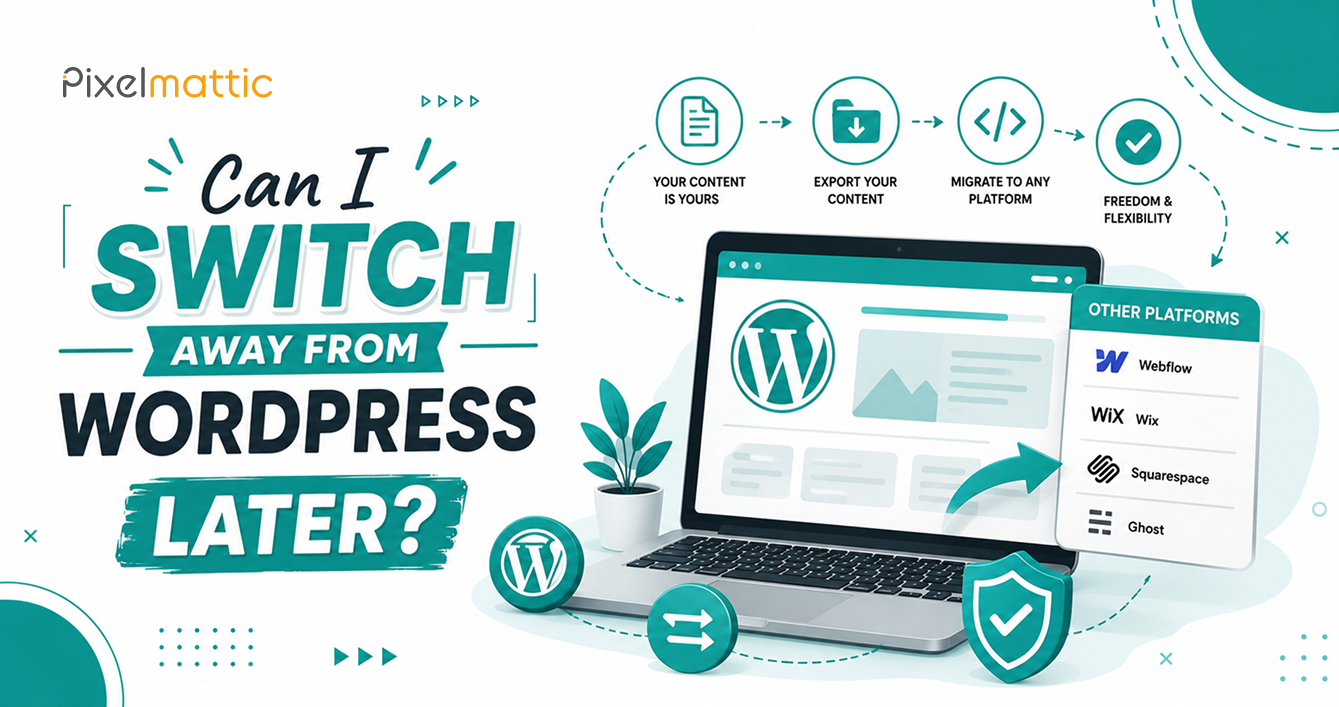
It’s a reasonable concern for any business owner evaluating WordPress: if circumstances change — your needs evolve, a better platform emerges, or you simply want a different technical approach — how difficult would it be to move away?
The good news is that WordPress, being an open-source, self-hosted platform, is significantly easier to migrate away from than closed, proprietary website builders. This guide explains what’s actually involved.
Why WordPress Is Comparatively Portable
Unlike closed platforms such as Wix or Squarespace — where your content, design, and functionality are locked into their proprietary systems with limited or no export options — WordPress content lives in a standard, well-documented database structure. Your content, media, and core data can be exported in standard formats (like WordPress XML export files) that other platforms are generally built to import.
This is one of the genuine, often underappreciated advantages of choosing an open-source platform: you retain meaningful ownership and portability of your digital assets, even if you eventually decide to move elsewhere.
What’s Easy to Migrate
Written content (pages and blog posts): This exports cleanly via WordPress’s built-in export tools or third-party migration plugins, and most destination platforms have reasonably good import support for standard content formats.
Media files (images and documents): These are stored as actual files, not proprietary formats, making them straightforward to transfer to virtually any new platform.
Basic SEO data (meta titles and descriptions): Most SEO plugins allow this data to be exported and mapped to equivalent fields on a new platform, preserving your search visibility work.
What’s More Complex to Migrate
Custom functionality: Custom-built features, integrations, or plugin-powered functionality (like membership systems, booking tools, or complex WooCommerce configurations) typically need to be rebuilt on the new platform rather than directly transferred, since destination platforms structure these differently.
Design and layout: Visual design generally needs to be rebuilt in the new platform’s design system rather than transferred directly, even if the underlying content moves smoothly.
URL structure and SEO equity: Preserving search rankings during a migration requires careful URL mapping and 301 redirects from old URLs to new ones. This is one of the most technically important — and most frequently mishandled — aspects of any platform migration.
Database relationships: Complex data relationships (like custom post types linked to specific taxonomies) require careful mapping to ensure content transfers with its structure and context intact, not just as disconnected text.
A Sensible Migration Process
Full content audit: Document everything on your current site — pages, posts, media, custom functionality, and current SEO performance (rankings and traffic sources).
Platform evaluation: Select the destination platform based on your actual future needs, not just current frustrations with WordPress.
Staged migration: Move content in a staging environment on the new platform, allowing full review before the switch goes live.
SEO preservation: Implement a comprehensive URL mapping and 301 redirect strategy to preserve search rankings during the transition.
Parallel testing period: Run thorough testing on the new platform before fully decommissioning the WordPress site, ensuring nothing is lost in the transition.
The Realistic Perspective
While WordPress is more portable than closed platforms, migration is never entirely effortless — it requires planning, technical execution, and careful SEO preservation. For most businesses, the practical takeaway is this: WordPress gives you meaningfully more flexibility and exit options than proprietary platforms, but any platform switch is a real project, not a simple export-and-import task.
WordPress Strategy
Considering a Platform Migration?
Talk to Pixelmattic about your website strategy and how to keep your platform options open.
Frequently Asked Questions
Is it easy to move a WordPress website to another platform?
Content and media are relatively straightforward to migrate due to WordPress’s open architecture. Custom functionality, design, and preserving SEO rankings require more careful planning and technical execution.
Will I lose my SEO rankings if I switch away from WordPress?
Not necessarily, if the migration is handled properly with a comprehensive URL mapping and 301 redirect strategy. Rankings are commonly lost when migrations are rushed or redirects are handled incompletely.
Is WordPress more flexible than Wix or Squarespace when it comes to switching platforms later?
Yes, significantly. WordPress’s open-source, self-hosted nature means your content and data aren’t locked into a single proprietary ecosystem, giving you considerably more flexibility if you decide to migrate in the future.
 October 1, 2026
 WordPress Development
 WordPress Development
 WordPress Development
 WordPress Development