Why Is My WordPress Site Slow? How Much Will It Cost to Fix?
 WordPress Development
|
WordPress Development
|  6 minutes
Table of Contents
- Short Answer
- Measure Before You Spend
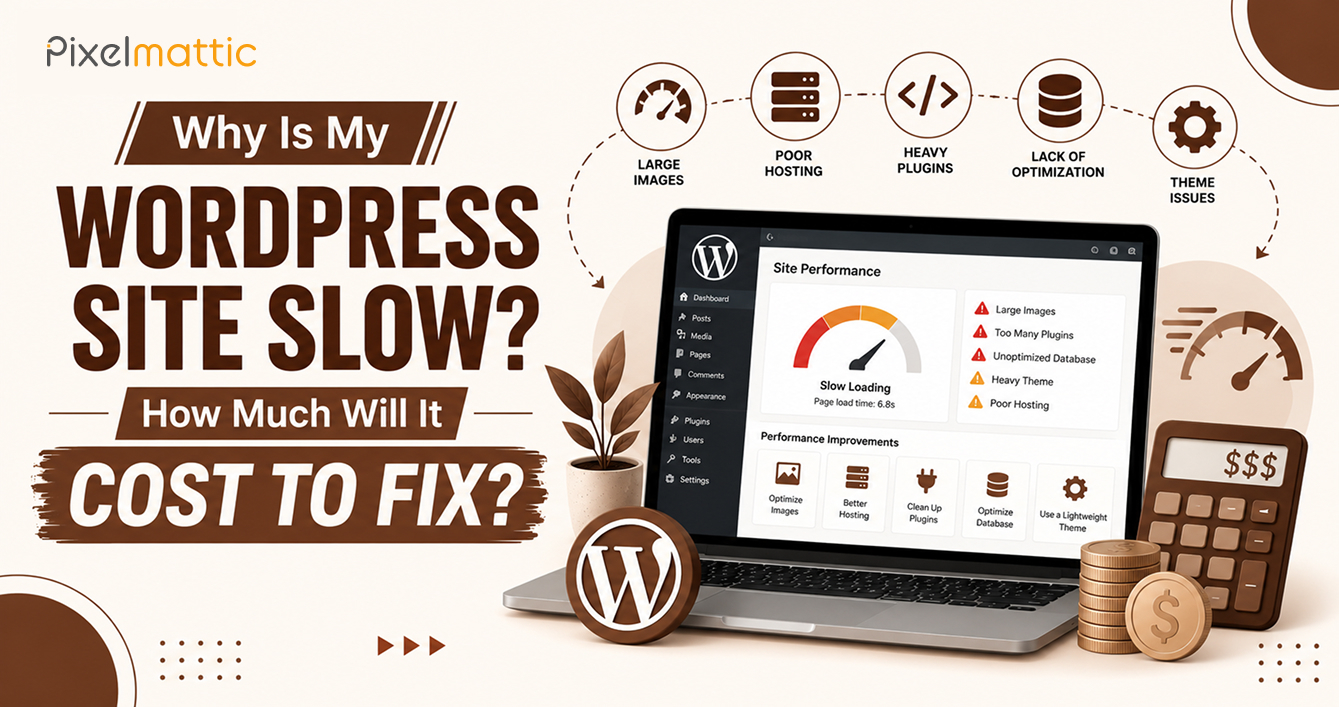
- The Usual Causes
- What It Costs to Fix
- When Fixing Is the Wrong Answer
- A Realistic Order of Work
- How to Avoid Paying Twice
- Frequently Asked Questions
Short Answer
Most slow WordPress sites share a handful of causes: weak hosting, oversized images, heavy plugins, no caching, and third-party scripts. A focused speed fix usually costs $150 to $2,000. A theme or hosting rebuild can run $2,000 to $8,000 or more. A proper audit tells you which of these you are dealing with before you spend anything.
A slow site costs money in ways that rarely show up on an invoice. Visitors leave before the page finishes loading, paid campaigns send traffic to pages that bounce, and Google’s page experience reports flag the site as poor. If you run growth for your business, that is traffic you paid for and never converted.
The frustrating part is that “my site is slow” can mean ten different things. This guide covers how to find out which one applies to you, what each fix tends to cost, and when spending more on speed stops making sense.
Measure Before You Spend
Run your key pages through Google PageSpeed Insights and look at the mobile result first, since that is where most sites perform worst. Read the field data at the top of the report, which reflects real visitors over the past 28 days, instead of focusing only on the lab score. Google’s Core Web Vitals set three targets: Largest Contentful Paint under 2.5 seconds, Interaction to Next Paint under 200 milliseconds, and Cumulative Layout Shift under 0.1.
Test more than the homepage. Your blog template, a service page, and the landing page you use for ads often behave differently, and the slowest template is usually where the problem sits. Also note the server response time, sometimes called time to first byte. If that number is high before a single image loads, the cause is likely hosting or uncached pages rather than front-end code.
The Usual Causes
Hosting That Cannot Keep Up
Budget shared hosting puts your site on a server with hundreds of others. Under normal traffic it may be fine, but response times swing and traffic spikes hurt. If time to first byte regularly sits above 800 milliseconds, hosting belongs at the top of the suspect list.
Images Far Larger Than They Need to Be
A 4 MB hero photo displayed at 1,200 pixels wide is one of the most common causes of a heavy page. Modern formats such as WebP or AVIF, correct dimensions, and lazy loading for images below the fold usually cut page weight sharply.
Plugin and Page Builder Weight
Each plugin can add its own scripts, styles, and database queries, and many load them on every page whether needed or not. Page builders add extra markup on top. The number of plugins matters less than what each one loads, so a site with 15 heavy plugins can run slower than one with 35 light ones.
No Caching Layer
Without page caching, WordPress rebuilds each page from the database for every visitor. Server-level or plugin-based caching serves a stored copy instead and often brings response times down from seconds to milliseconds.
Third-Party Scripts
Chat widgets, heatmaps, ad pixels, social embeds, and tag manager containers pile up over the years. Each one is a request to someone else’s server, and audits often turn up tools nobody has used in a year.
Database and Background Load
Years of post revisions, expired transients, spam comments, and tables left behind by deleted plugins slow queries. WooCommerce stores also carry session and order data that needs regular cleanup.
What It Costs to Fix
These ranges are typical for agency work and move with site size and complexity.
Quick wins ($150–$500): Caching setup, image compression and resizing, removal of unused plugins, and lazy loading.
Standard optimisation ($500–$2,000): Everything above plus a script audit and deferral, database cleanup, CDN setup, font loading fixes, and Core Web Vitals tuning on your main templates.
Deep rework ($2,000–$8,000 or more): Replacing a bloated theme or page builder setup, refactoring custom code, tuning heavy WooCommerce queries, or moving to a new server environment.
Hosting upgrade (roughly $25–$150 more per month): Moving from shared hosting to managed WordPress hosting is often the largest single improvement for the money.
A good agency runs the audit first and hands you a priced list in order of expected impact, so you can stop when the returns flatten.
When Fixing Is the Wrong Answer
Sometimes the theme is the problem: a multipurpose theme that loads 2 MB of scripts before your own content appears. If the speed work needed approaches half the cost of a rebuild, the rebuild usually wins, because it also fixes design and maintainability. Ask for an audit that prices both paths.
A Realistic Order of Work
If you are briefing a developer, ask for fixes in this order: server response and caching first, then images, then scripts, then theme and database work. The early steps are cheap and often deliver most of the gain, so a second round of spending is only worth it if the numbers still miss your targets.
Reserve a short re-test after each stage. Speed work has a way of shifting problems around, and a fix to one template can expose a weakness in another.
How to Avoid Paying Twice
Ask for before and after measurements on the same pages, using the same tool. Be wary of anyone who promises a perfect 100 score. Scores matter less than real-user metrics and how the site feels on a mid-range phone. Stacking three optimisation plugins also tends to create new conflicts, so ask which tool does which job.
Want to Know Why Your WordPress Site Is Slow?
Want to know why your site is slow before you spend on fixes? Pixelmattic can audit your speed and Core Web Vitals and give you a priced list ordered by impact.
Frequently Asked Questions
How fast should a WordPress site load?
Aim for a Largest Contentful Paint under 2.5 seconds on mobile for real visitors. In practice, pages that feel ready within two to three seconds on a mid-range phone keep most visitors.
Will a faster site rank higher?
Speed is one of several page experience signals, and its direct effect on rankings is modest. The bigger payoff is usually conversion, since faster pages lose fewer visitors before they act.
Can one plugin fix a slow WordPress site?
A caching plugin helps with server response and can fix part of the problem. It cannot shrink oversized images, remove unused scripts, or make up for weak hosting, so most sites need a mix of fixes.
 October 1, 2026
 WordPress Development
 WordPress Development
 WordPress Development
 WordPress Development