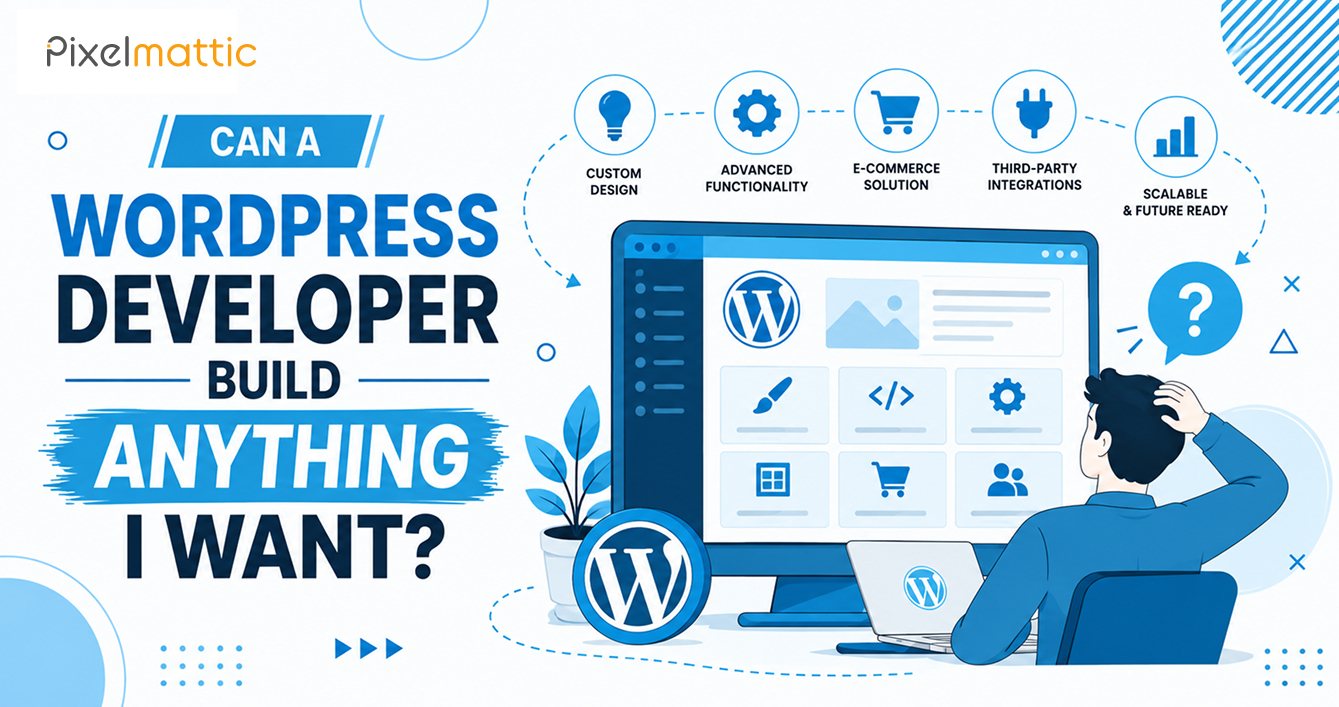
Can a WordPress Developer Build Anything I Want?
 WordPress Development
|
WordPress Development
|  6 minutes
Table of Contents
- Short Answer
- What WordPress Does Well
- Where It Starts to Strain
- Can Versus Should
- What Actually Limits a Build
- How to Brief a Feature So It Can Be Quoted
- Three Projects, Three Honest Answers
- Questions to Put to a Developer Before You Commit
- Plan for the Second Year
- The Headless Option
- Frequently Asked Questions
Short Answer
A skilled WordPress developer can build almost any web-based feature, including bookings, memberships, marketplaces, calculators, and CRM integrations. The real limits are budget, timeline, and long-term maintenance. A few products, such as real-time collaboration tools or very high-volume transaction systems, are better built as separate applications that connect to WordPress.
Business owners usually ask this at the start of a project, with a feature list in hand. The answer is mostly yes, with conditions that deserve attention before you sign anything.
What WordPress Does Well
WordPress handles content-led sites, lead generation, online stores through WooCommerce, memberships and gated content, course platforms, directories, appointment booking, and multilingual sites. It also connects to outside systems through APIs and webhooks, which covers most CRM, email marketing, and payment integrations.
Because WordPress is open source and extensible through custom post types, hooks, and its REST API, a developer can add behaviour that no plugin offers. If you can describe a workflow clearly, there is usually a way to build it.
Where It Starts to Strain
Real-Time and Highly Interactive Products
Live collaboration tools, multiplayer features, and bidding systems that need millisecond updates work against the way WordPress serves pages. They can be bolted on, but you end up fighting the platform.
Large Multi-Tenant Software
A SaaS product where every customer has separate data, permissions, and billing at scale is usually better as a dedicated application. WordPress then runs the marketing site, blog, and documentation next to it.
Very High Transaction Volume
WooCommerce serves many stores well, but at a certain volume, order processing needs deliberate architecture and dedicated infrastructure. Plan for that conversation early if you expect rapid growth.
None of these are impossible. They are cases where forcing WordPress to behave like something else can cost more, in build and upkeep, than using the right tool.
Can Versus Should
Three questions help separate the two. Does a well-maintained plugin already cover about 80 percent of the need? Is the feature central enough to how you make money that owning the code is worth the cost? And who will maintain it in two years, after WordPress and PHP have moved on?
An honest developer will sometimes talk you out of a custom build. Treat that as a good sign.
What Actually Limits a Build
- Budget: Custom features are billed by development hours.
- Third-party constraints: Payment gateway rules, CRM API limits, and regional data protection requirements can affect what can be built.
- Timeline: Complex features need design, build, testing, and revisions.
- Maintenance: Custom code needs updating as the platform changes.
- Hosting capacity: This matters for anything that runs heavy queries or processes many users at once.
How to Brief a Feature So It Can Be Quoted
Describe it as a user story: who does what, and what should happen next. Attach examples of sites that do something similar. Say what has to work at launch and what can wait. A phased scope, where you launch the core features and add the rest after seeing real usage, lowers both risk and cost.
Three Projects, Three Honest Answers
A Booking System for a Clinic
This is well within WordPress’s range. Appointment plugins handle availability, reminders, and payments, and a developer can adapt them to your rules, such as practitioner schedules and cancellation windows. The work is mostly configuration and design, so the cost stays moderate, usually in the low thousands of dollars. The point to watch is privacy: if you collect health information, your hosting, forms, and plugins need to meet the data rules of the countries your patients live in.
A Members-Only Learning Platform
Also a good fit. Membership and course plugins manage access, drip content, and progress tracking, and WordPress already handles the publishing side well. Costs rise with the size of the content library, the video hosting you choose, and any certificate or assessment features. Video should live on a specialist host rather than on your web server.
A Tool Where Thousands of Users Edit Shared Data Live
Here, the honest answer is to build the application separately and use WordPress for everything around it. You can still connect the two so that logins, billing, and content stay consistent. The difference is that the part needing real-time behaviour is built on technology made for it.
Questions to Put to a Developer Before You Commit
A strong developer will answer these without defensiveness, and the answers tell you how they work.
- Have you built something similar, and can I see it running?
- Which parts of this would use an existing plugin, and which need custom code?
- What breaks if the plugin you choose is abandoned in two years?
- How will this feature behave with 10 times today’s traffic?
- Who owns the custom code, and where is it documented?
If the answers are vague, treat the vagueness as information. A developer who has solved your kind of problem before can usually describe the awkward parts in plain language.
Plan for the Second Year
Whatever you build, ask what year two looks like. Features that depend on third-party plugins need yearly licence renewals and regular compatibility checks, and custom features need a developer who can modify them as your process changes. Put a small monthly line in your budget for this now, and the feature will still work when you need it most.
The Headless Option
Some teams use WordPress as the content backend and build the front end separately in a framework such as Next.js. This suits sites that need app-like interfaces, but it raises cost and maintenance. It is worth it only when the front end genuinely demands it.
Have a Feature in Mind and Not Sure It Fits WordPress?
Pixelmattic can review your requirements and tell you plainly what to build, buy, or connect.
Frequently Asked Questions
Can WordPress run a marketplace?
Yes. Multi-vendor marketplaces run on WooCommerce with add-ons or custom development. Budget in line with a complex custom build, and plan for ongoing maintenance.
Can WordPress integrate with my CRM?
Usually. HubSpot, Salesforce, Zoho, and most other CRMs offer APIs or plugins. The real question is how deep the sync needs to go and which system is the source of truth.
Is WordPress a good base for a SaaS product?
Rarely for the product itself. It works well for the marketing site, blog, documentation, and pricing pages that sit around a SaaS application.
 October 22, 2026
 WordPress Development
 WordPress Development
 WordPress Development
 WordPress Development