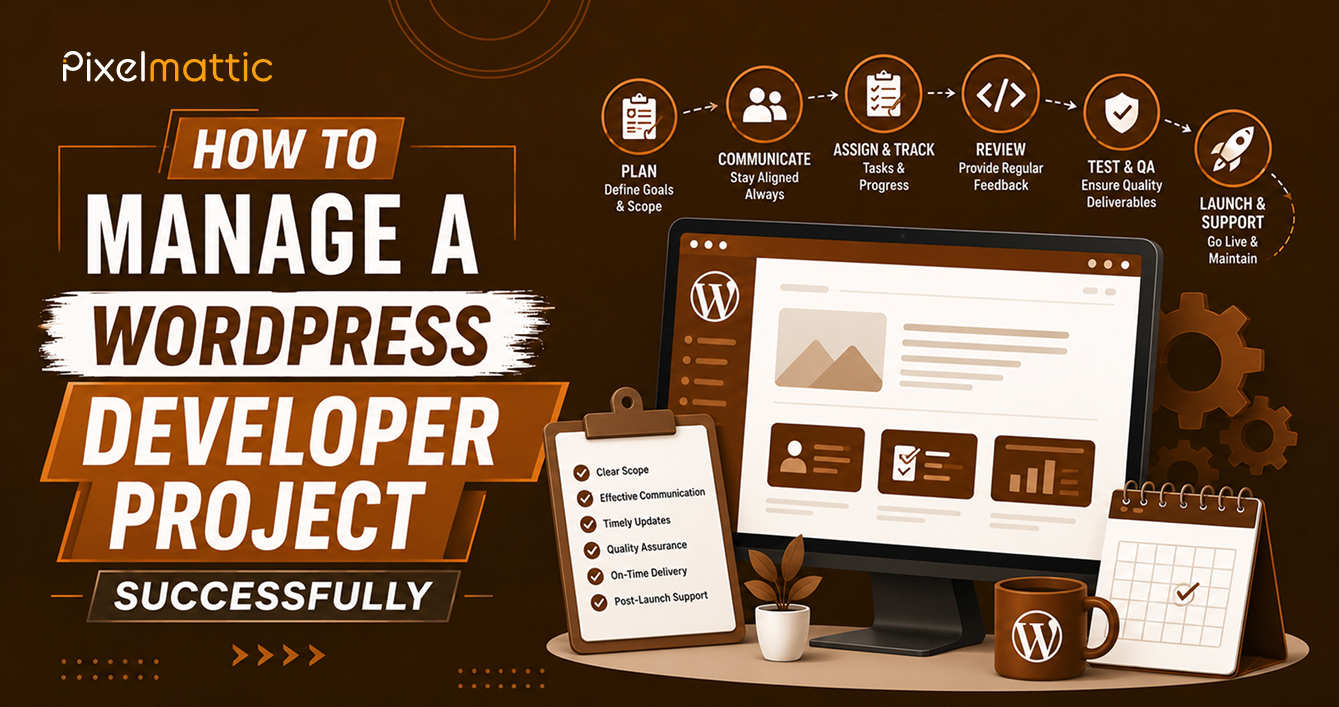
How to Manage a WordPress Developer Project Successfully
 WordPress Development
|
WordPress Development
|  4 minutes
Table of Contents
- Before the Project Begins
- During the Discovery and Design Phase
- During Development
- Before Launch
- Common Project Management Mistakes to Avoid
- Frequently Asked Questions
Hiring a skilled WordPress developer is only half the equation for a successful project. How you manage the engagement from your side — communication, decision-making, content readiness — has a substantial impact on whether the project stays on time, on budget, and delivers what you actually need.
This guide gives business owners and marketing professionals a practical framework for managing their side of a WordPress project effectively.
Before the Project Begins
Designate a single point of contact: Projects with multiple internal stakeholders giving separate, sometimes conflicting feedback create confusion and delays. Appoint one person to consolidate internal input and communicate with the developer.
Prepare your content in advance: Content readiness is the single biggest factor affecting project timelines. Have copy, images, and any other content assets ready — or at minimum, a clear plan and deadline for when they’ll be delivered.
Document your requirements clearly: A detailed brief — covering pages needed, functionality, design preferences, and competitor references — significantly improves the accuracy of both quotes and final delivery.
Agree on communication cadence upfront: Establish how often you’ll receive updates (weekly is common) and through which channel (email, Slack, project management tool).
During the Discovery and Design Phase
Provide specific, actionable feedback: Rather than vague comments like ‘I don’t love this’, give specific direction: ‘The header feels too cluttered — can we simplify to just the logo and three navigation items?’ Specific feedback speeds up revision cycles considerably.
Consolidate feedback before sending: If multiple people are reviewing designs, gather all comments into a single, organised document rather than sending piecemeal feedback across multiple emails or messages.
Respect the agreed revision process: Most contracts specify a defined number of revision rounds. Understand this upfront and use your feedback rounds efficiently rather than making incremental, drawn-out requests.
During Development
Review work at agreed milestones, not constantly: Frequent, unstructured check-ins can actually slow progress. Trust the agreed milestone schedule, and use those checkpoints for thorough review.
Test functionality thoroughly when reviewing: Don’t just look — click through forms, test navigation, check the site on your phone. Catching issues early is far easier than after launch.
Flag concerns early: If something feels off-track, raise it immediately rather than waiting until the end of the project, when changes become more costly and time-consuming to implement.
Before Launch
Conduct a thorough pre-launch review: Check every page on desktop and mobile, test all forms and interactive elements, verify links work correctly, and confirm analytics and tracking are properly installed.
Plan your launch timing: Avoid launching immediately before a major business event, holiday period, or time when you won’t be available to address any post-launch issues quickly.
Confirm what happens post-launch: Understand the warranty period, what’s included in ongoing support, and who to contact if issues arise.
Common Project Management Mistakes to Avoid
Changing requirements mid-project without formal change requests: This is one of the most common causes of budget overruns and delays. Route all changes through a documented process.
Delaying content delivery: This is the single most common cause of timeline slippage. Prioritise content readiness as a project-critical task.
Micromanaging technical decisions: Trust your developer’s technical judgement on implementation details, while remaining actively involved in business-critical decisions like functionality priorities and brand representation.
Skipping thorough testing before launch: Rushing the final review stage often results in post-launch issues that are more disruptive and costly to fix than they would have been pre-launch.
WordPress Project Management
Want a WordPress Project Managed With Clear Communication and a Proven Process on Both Sides?
Talk to Pixelmattic about how we structure client collaboration.
Frequently Asked Questions
How involved should I be in a WordPress development project?
Involvement should be structured, not constant — active at key decision points (design approval, content review, milestone check-ins) rather than day-to-day oversight of technical implementation.
What’s the biggest mistake business owners make when managing a website project?
Delaying content delivery is consistently the most common and costly mistake, as it directly extends the project timeline regardless of how efficiently the developer works.
How often should I expect updates from my WordPress developer?
Weekly updates are a reasonable standard for most projects, though this should be explicitly agreed upon at the start of the engagement rather than assumed.
 October 29, 2026
 WordPress Development
 WordPress Development
 WordPress Development
 WordPress Development