What’s the Difference Between WordPress Themes and Custom Development?
 WordPress Development
|
 6 minutes
Table of Contents
- Short Answer
- What a Theme-Based Build Is
- What Custom Development Means
- Side by Side
- Where Themes Go Wrong
- Where Custom Goes Wrong
- The Hybrid Most Business Sites Should Consider
- What Happens to Your Content If You Change Approach Later
- Costs People Forget to Compare
- A Short Checklist Before You Decide
- Ask to See the Performance Numbers
- How to Choose
- Frequently Asked Questions
Short Answer
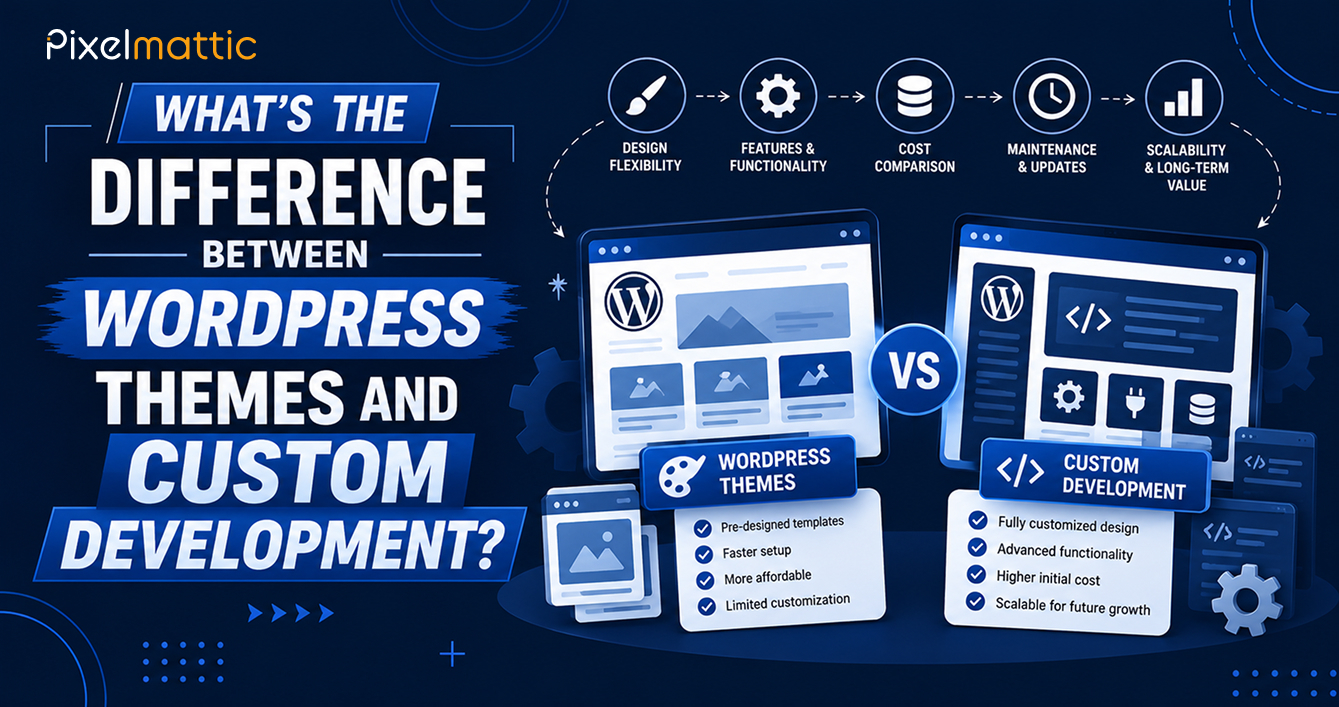
A theme-based build starts from a pre-made design and adapts it to your brand, typically costing $2,000 to $8,000. Custom development designs and codes the site around your goals, usually $8,000 to $30,000 or more. Themes suit most small and mid-sized business sites. Custom suits sites where the website is the main growth asset.
Two quotes can both say “WordPress website” and sit $20,000 apart. Most of that gap comes from one decision: whether the site starts from an existing theme or is built from scratch. Knowing what each approach delivers makes quotes much easier to compare.
What a Theme-Based Build Is
A theme is a ready-made design and code package. A developer installs it, then adjusts colours, fonts, layouts, and content to match your brand. Themes range from heavy multipurpose packages with hundreds of options to lightweight themes designed to work with the built-in block editor or a page builder.
A good theme-based build can look polished and unique enough for many businesses. Its limit is that the structure was designed for general use, not for your specific goals.
What Custom Development Means
In a custom build, a designer plans layouts around your audience and conversion goals, and a developer builds a theme containing only what the site needs. The editing experience is shaped for your team, often with custom blocks and page templates, so editors assemble pages from approved components.
Side by Side
| Factor | Theme-Based Build | Custom Development |
|---|---|---|
| Typical cost | $2,000 to $8,000 | $8,000 to $30,000 or more |
| Timeline | 3 to 8 weeks | 8 to 16 weeks |
| Design uniqueness | Adapted from a template | Original to your brand |
| Performance | Depends on the theme; often carries unused features | Usually lighter, since it holds only what is used |
| Flexibility | Limited by the theme’s structure | Shaped around your needs |
| Maintenance | Theme vendor ships updates | Your developer maintains the code |
| Switching later | Content tied to theme shortcodes can break | Cleaner content structure when well built |
Where Themes Go Wrong
Multipurpose themes often load scripts and styles for features you never use, which slows pages. Content built with theme-specific shortcodes or builder modules can turn into unreadable clutter if you switch themes later. Edits made directly to a theme file disappear at the next update unless a child theme holds them. And popular themes mean many sites share the same look.
Where Custom Goes Wrong
Custom builds can run over budget when scope drifts. They can also leave you dependent on the team that built them if documentation is thin. Some projects over-engineer, building flexibility the business never uses. A clear brief and written documentation reduce these risks.
The Hybrid Most Business Sites Should Consider
A lightweight, well-coded theme or block theme, plus custom page templates and a handful of custom blocks, gives most of the benefit of custom work at a fraction of the cost. It also keeps the foundation maintained by a vendor while your own code stays small.
What Happens to Your Content If You Change Approach Later
Content is the asset that matters, and how it is stored decides how painful a future redesign will be. Pages built with plain blocks and standard fields move easily between themes. Pages built with a theme’s own shortcodes or proprietary builder modules often turn into a pile of unreadable tags when you switch.
Whichever route you take, ask the developer how content is stored and whether it will survive a theme change. A site built on clean blocks, custom post types, and structured fields can be redesigned without rewriting every page. That one question can save thousands of dollars three years from now.
Costs People Forget to Compare
The build price is only part of the picture. Premium themes carry yearly licence fees, usually $50 to $100 a year per site, and bundled plugins sometimes need their own renewals. Custom builds have no licence but need a maintainer who understands the code. Add the cost of a redesign after three to five years, since the point at which a heavy theme feels dated or slow often arrives sooner than a lean custom build.
Training matters too. A custom build with clear page components can make your team’s day-to-day editing faster, because there are fewer options to get wrong. A themed build with several hundred settings gives editors more ways to break a layout.
A Short Checklist Before You Decide
- Will the site carry paid campaigns, where page speed and conversion paths directly affect revenue?
- Do you need page layouts that no existing theme offers?
- How many people will edit content, and how technical are they?
- Do you plan to expand into stores, memberships, or multiple languages?
- Is there a team you trust to maintain the code over the next three years?
Two or more yes answers in the first few lines suggest custom work or a hybrid is worth pricing.
Ask to See the Performance Numbers
When comparing proposals, request speed results from live sites the developer built on the same approach, not a demo page. Good Core Web Vitals scores on real client sites say more than any claim about clean code.
How to Choose
Ask how much the website drives revenue. If it is a brochure for a business that sells mostly through referrals, a themed build is sensible. If the site is your main lead engine, with unusual conversion paths or complex content, custom work pays back. Then ask how often your team will edit pages, and how much brand differentiation matters in your market.
Not Sure Whether Your Project Needs a Theme or a Custom Build?
Pixelmattic can recommend the approach that fits your goals and budget and show you what each would cost.
Frequently Asked Questions
Is a custom WordPress theme faster than a premium theme?
Often, but not automatically. A custom theme tends to be lighter because it only includes what the site uses. A well-built lightweight premium theme can match it.
Can I move from a themed site to a custom one later?
Yes. Your content and media carry over. Layouts need rebuilding, and content built with theme-specific shortcodes may need cleanup.
What is a child theme?
A child theme is a small theme that inherits everything from a parent theme. Your customisations live in the child, so parent updates do not overwrite them.
 November 19, 2026
 WordPress Development
 WordPress Development
 WordPress Development
 WordPress Development