
WordPress 4.7 is here! 10 Reasons To Update Your WordPress To The Latest Version
 WordPress Development
|
WordPress Development
|  4 minutes
WordPress has almost a 60% market share among content management systems and accounts for 27% of all websites on the internet. WordPress is backed by a strong open source ecosystem which enables it to constantly evolve and stay updated. A major WordPress update is released every quarter and today happens to be the release of WordPress 4.7, codenamed “Vaughan”, in honor of the legendary jazz vocalist.
So now that WordPress 4.7 is here, let’s look at 10 good reasons for you to update your WordPress now!
For Website Owners & Editors
1. Over 447 bugs, 165 enhancements, 8 feature requests, and 15 blessed tasks have been marked as fixed in WordPress 4.7.
2. Custom Bulk Actions
In WordPress 4.7, developers can register their own bulk actions on list table screens.

3. Custom Post Templates
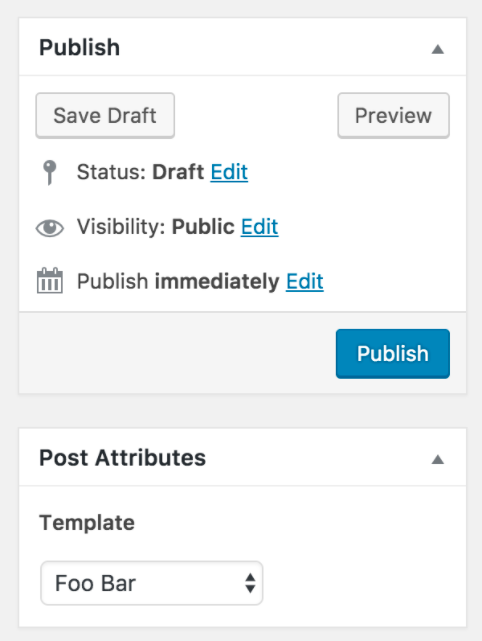
Page templates have existed in WordPress for a long time. This allowed WordPress designers & developers to create a template that a client could reuse to create new pages, by just adding content to it. Today, with WordPress 4.7, you can create templates for custom posts too.
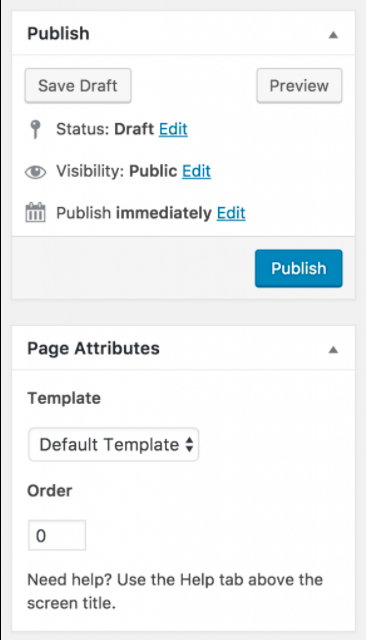
If you’ve ever managed a site with a lot of content, there is a chance you’ve used custom posts to add content like Projects, Campaigns, Reviews etc. Now you can create custom post templates too, which would allow you to choose a different design template for every new custom post entry you make.
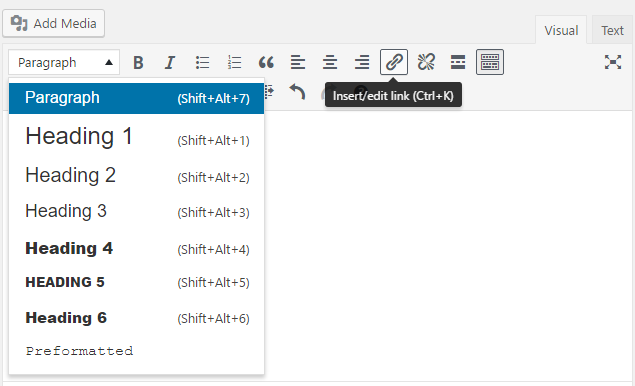
4. Editor Changes
Shortcuts were added previously, but now with a few small tweaks with placement of action buttons based on usage, editing content should be an improved experience in WordPress 4.7
5. Smoother Menu Building
If you were creating a menu for a new website or for pages that didn’t exist, you would have to go to another page, create the pages, and come back to the menu to add them. Now, with WordPress 4.7 you can create pages on the fly while building your menu. Content for pages can be added later.
6. Dashboard Language
We wrote about this in our post on WordPress translation, that you can now choose a language for the WordPress dashboard. What this means is, if you’re running a website with the French language as the front end, you can enable a different language, for example, German, in the backend, for your staff to manage content. This opens up a whole new world of possibilities.
For Designers & Developers
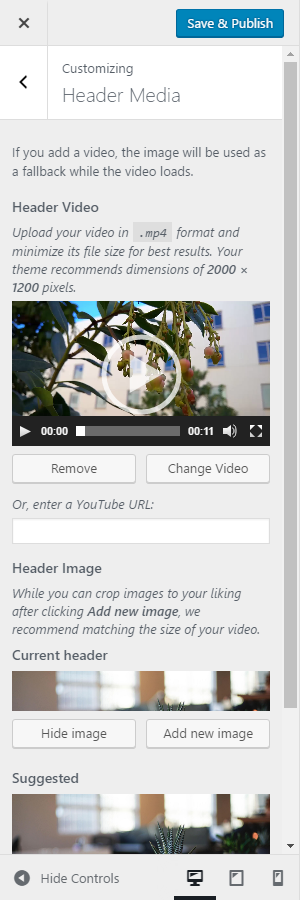
7. Video Headers
WordPress 4.7 extends the custom header functionality to now support video headers. Adding video to the hero section of the website has become a trend, and now you can ensure your theme supports it.
8. Customizer Improvements
There are a host of improvements in the customizer that you should now be able to take advantage of. For example, with live preview, you can make changes directly on the preview and see them reflected instantly.
Custom CSS changes also show up on the live preview.
9. WP Rest API
WordPress 4.7 comes with REST API endpoints for posts, comments, terms, users, meta, and settings. Previously you had to install a plugin and then use REST API, but now it’s been added to WordPress core. This allows other systems to interact with WordPress to pull and push data.
Building apps on top of WordPress, or even building a WordPress theme as an app becomes easier.
10. Theme Starter Content
We are big believers in content first, design next philosophy of building websites. It’s great that now WordPress has provided an option of adding starter content for designers and developers who build WordPress themes.
If you’re running an older version of WordPress, it’s always advisable to get a WordPress expert to update your website.
 August 14, 2026
 WordPress Development
 WordPress Development
 WordPress Development
 WordPress Development
